
Behind-the-Scenes with NFL Football Video Staff on Gameday | Minnesota Vikings
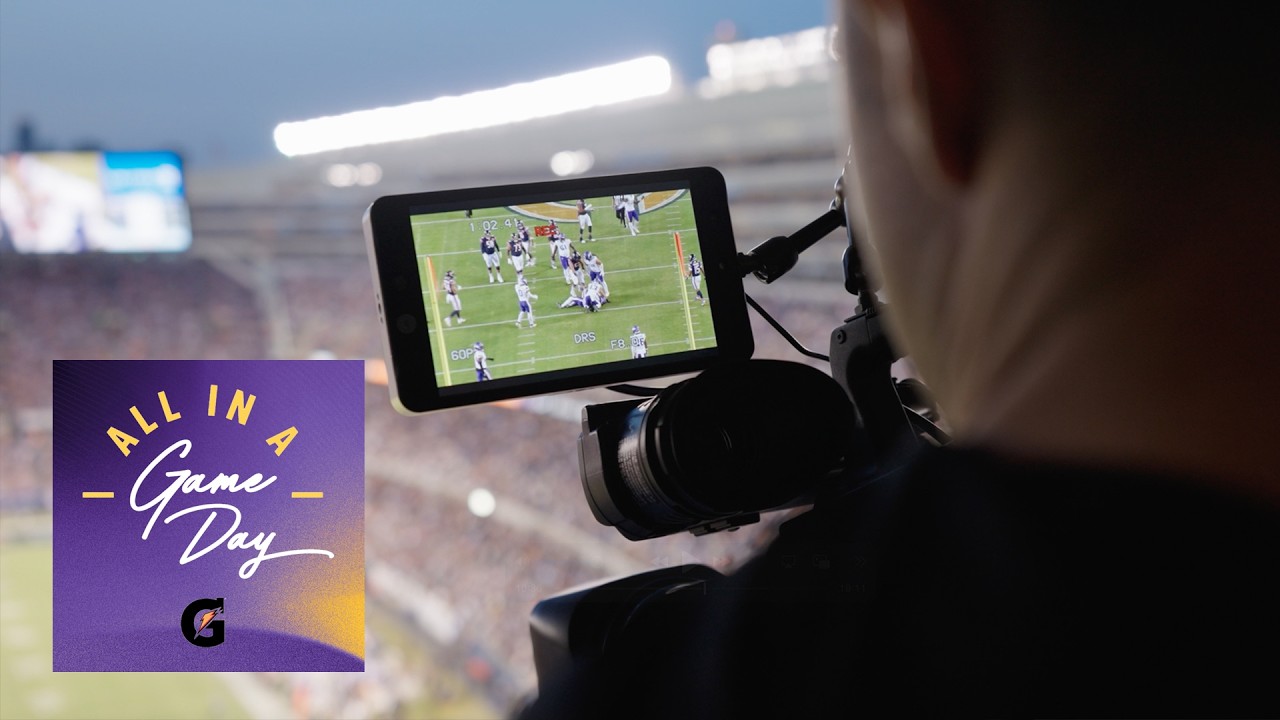
Thank you. All right. This you want to carry that, Ella? Yeah. Perfect. Our main responsibility is to provide technology and film for all coaches, personnel, and players. We need to make it as efficient as possible so they can get all of their work done in a timely manner because every minute counts to the coaches. My name is Nick Miller, director of football video with the Minnesota Vikings. Our video team consists of Julian, Oliver, Ella, Logan, and Juni. [Music] So, you see above that 90 uh minute sign, that’s the uh endzone video booth that I’ll be in today. We have a video blue book essentially that lays out how to get to every single location. Each team is required to put together some information in the blue book that basically describes how you get to the sideline in the two end zone locations. What’s up, Mike? We’re miked up. We’re miked up. Mike’s hot. We’re doing like a little feature like they’re just kind of shadowing different departments. So, I guess we’re taking this we’re taking the show on the road today. Big time. All right. This put this over here. Get this bad boy out. Pregame is just kind of testing a variety of things like you have make sure you have correct power, making sure your colors look good, focus looks good, just so it just looks um seamless when you go from view to view. And most stadiums are outfitted where they have a physical endzone location on both sides and then a sideline location. Um Soldier Field is unique in the sense that, you know, you can see here I am right here in this physical location across the way they’re actually filming. um there’s no endzone booth and so instead there’s a robotic cam over there which they’re called PTZ cameras. So this is an EMG. So during games you’re getting mixed use of both EMG cameras as well as robotics. And so like I said they’re um shooting over there in the side which we will see shortly. For camera equipment for games we use Panasonic ENG cameras basically broadcast level cameras but uh we’re starting to transition into PTZs which stands for pan tilt zoom and the robotic cameras at Soldier Field. The PTZs are mounted at the top of the stadiums on rafters. Juni and I were sitting in a broadcast room where we’re operating the cameras with controllers with the other team as well. So, we’re all sitting in the room together. It’s pretty nice cuz we don’t have to carry up 200 lb of equipment. We just show up with our SD cards now and uh check and make sure everything’s running smoothly. We shoot with another Chicago member and that’s for redundancy in case we have any issues with my camera or their camera and then we still have coverage of every single play. I’m going to be shooting the endzone wide angle Nick’s sideline setup. The setup is very similar. The angle that I shoot is a little different. Um my camera is mounted onto one of the scoreboards on the end zone. that box that says AK solutions that is connected all the way to the camera on the end zone and it goes through here and then it comes here. It goes to one of our devices called the UMR which then goes to the screen then to another UMR. So that’s how it’s all wired. Yep. And then on the camera we have all different settings. We have to make sure we’re white balance. We’re on the right filter. We have to make sure that we’re matching with our opponent too. So, we’ll call out what settings we’re on, and we’ll also call out what settings we’re on for the people behind us who are shooting end zone. So, our film looks similar as opposed to when a coach is watching a sideline view to an endzone view. It doesn’t go from like a sharp crisp green to a faded green color of grass just to kind of ease the coach’s eyes cuz they watch film all day long. So, we try to keep the film as crisp and clean and easy on the eyes as we can. So, one of the most important things too, um, that kind of ties this all in together is this cable right here. When I plug this in to my UMR, this is my feed that is going, um, to the basically the Microsoft SPS system, which is tying my endzone location, the other endzone location, and the sideline. So that like my clips or when I’m filming and what Nick’s filming, what Jump Page filming, it’ll all get transmitted down to the field so the coaches can review on the sideline with those tablets. And so we are also using our footage live in-game so that coaches can make those in-game adjustments on the tablets and just kind of go through um with the players and teach make adjustments. We have fiber connected to our cameras that run the signal to the coach’s booth and down to the field. Coaches only have access to still shots on their tablets and in the coach’s booth. Chuck Peterson operates the steel shot and he is coached by our coaches and Julian Hines on when to take the shots. During the game, the steel shot operator will take uh the images that the coaches will be using throughout the game to analyze the coverages and to make their adjustments. Throughout the game, he’ll be monitoring the film that the rest of the crew is shooting. And while they’re shooting the game, he’ll be updating the images as the drives and the plays are happening on the field. The still shots are taken at about three or four different locations and one is pre- snap for formation based and then the second one is point of contact when uh all the players kind of meet you know after the snap and then from there we also do one that shows the development of the play that shows where the players are nearing the end of their routes during the end of a run and shows where the blocking schemes are so the coaches can break that down. So, if you go to one of the defense right here on the front row, you’ll see the images start to pop up. They get transferred to the tablets and during the game, the coaches are reviewing the plays from the previous draft throughout the game. And the guys up here are communicating to the coaches down on the field via headset. The drawings and the illustrations are saved on the profiles and they’re able to use the annotations to communicate what’s happening in the game during the game. Profiles are set up for um all of our defense uses one profile so they can share notes. And our offense, they kind of bounce around and have all their own profiles. So, they’re split up per position coach. Here is our sideline. Our sideline is split. Offense is on this side and defense is on that side. And our little station for our tablets is here in the middle. This is the box where all of our tablets are kept. Um, they’re here for us every game. They’re provided by the NFL. But basically, as you saw from Logan’s camera and then from the coaches booth in the sideline, the pictures and the uh feed that come from those camera go straight to these tablets. So, this is what our tablets look like. Um, Julian kind of showed this already, but the same profiles that are up in the booth are the same ones that we see here. And so we only have a few select because some of the coaches will share profiles. Um, but basically those same series that we saw up there show up down here. The coaches in the booth communicate through the headsets to the coaches down here on the field. So typically when they’re reviewing specific plays and whatnot, the coach up in the booth will tell them what play number it is cuz all the plays come in with a play number and the series that it happened in. And so the coach in the booth might write notes upstairs and then they’ll tell the coach down on the field like, “Hey, series 3, play 15. Look at the notes that I put for the guys on that play.” So, a lot of communication. These are the notes that Julian drew upstairs when you guys were getting ready for that. And we see that that translates down here to the field. So, in real time, a coach can write a note on the photos and then the coaches down here will see it on the tablet. At about the 30, it’s a gain of five. It’s the final play of the first quarter. After each quarter, we drop a card. And after we drop the card, we we put it over here so that it gets transmitted to the sideline where Oliver is stationed and there can start editing. The first quarter just ended, so I’m importing in all the cards. Although it says on the clock that I technically have 15 minutes to go, the reality is is that I really want to get this done within 6 minutes. So, I want to edit all of my cards and have the first quarter ready to go before the second quarter is already done. On every single clip, I’m gonna have to go through and look at it. Make sure that I’ve got 6 seconds right in front of the first signal. And now that the ref stepped away, boom. I then see them step up to the line. Okay, we’ve got a motion. Whole motion happens. Boom. Boom. Boom. And now I can cut up the film. This represents all the dead clip that is on the film that we don’t need to see. So now I’ve got to switch my ODKs because now our punt team is up. What Oliver is doing when they’re editing is they’re applying ODKs to our film. So when our offense is up, it’s marked offense. When defense is up, it’s marked defense. Special teams, we have it for field goal, field goal, block, kickoff, kickoff, return, punt, punt, return. Okay, he stepped up to the line. I’m watching the QB again. We’re seeing another point which we have to keep in all these subtle movements that people do are the things that we evaluate. For editing, we do a trade inhouse and ghost. The trade is the one we have to share with the entire league. So, it has to follow the standard scoreboard, sideline, two end zones. And then the in-house one, we include our wide angle. So, our coaches can have that, but we don’t share that with the rest of the league. And then the ghost file that we send is just a smaller file so we can get it on the coach’s iPads and laptops faster. So it’s one less view, but it’s just a smaller file so we can get it to the coaches as quick as possible after the game. I finished with 5 minutes and 52 seconds on the clock, which is really good. Now that I’m done, I’m essentially just waiting for the quarter to be done and then I’m going to do it all over again four different times. My shot is focused really on kind of the line, really the core of the line play. And then like I said, as the play moves, I kind of pan it out and move as the play goes. Because the sideline gets all 22, all 11 on 11, it allows the two end zones that are tight to kind of focus on the core. So this is where you get a lot of the O line, Dline, backer coaches, they can really kind of see a tighter angle. You can see technique and more. And then like I said, my job as a tight end zone shooter is really to get from track to track. Start tight and then as the play moves on, you’ll see me hang out and then kind of move with the play. This one I’ll get a little wider cuz we have a receiver to the core, but it’s it’s mainly end to end and then kind of that little bunch there. Unlike uh Logan, I’ll be on the other side shooting a wide angle of the players, including all 22 players at all times. Mine is catered more towards like the receivers, the DBs, and however much they move is however much I move. For the most part, I’m looking at both sides, both edges of the screen. I’m not focusing particularly on a specific person, but more so just keeping my peripherals on both edges of the the screen. My job is to make sure everybody stays in the film. My in-game responsibility is operating this system right here. I just shoot the sideline angle. We shoot all 22 they call it. So I keep all 11 players of our team and all 11 players of their team all in one shot and we keep it as tight as possible. We have to start before the any motions begin. So the coaches are allowed to break down and see every single aspect of each play. And then from here this is connected to our still shot. So the coaches on the field get their Microsoft tablets and they can go through and see a still shot of every single play and it’ll show pre-nap, postnap, and midplay. And that gives the coaches a good idea of what it’s like and how they can kind of uh see what’s happening on the field and help coach up players in between in between offense and defense. After any special team series, whether it’s a punt, a punt return, kickoff, field goal, we make sure that we have one ready for our coordinator and his assistant. And then for offense and defense, we do them on third down. So we prepare the iPads with the correct profiles to make sure that the series is loaded correctly. And then if the team comes off the field on third down, we go hand out the tablets to all of the coaches so that they can review it with their specific position players. Once we hand our tablets out to offense, let’s say, we’ll go to the defense side and pick up any tablets that are left from the coaches or players that are now on the field and then we’ll set those to the offense and defense profiles. So, me and Julian are both working to help the offense and defense coaches throughout the whole game. And then as well as special teams, he drops it and the ball game is over. The Minnesota Vikings have come from behind and defeated the Chicago Bears 2724. Cool. Thank you. Thank you. You okay if I take scoreboard first? You take the scoreboard. Yeah. Okay. So I have 52 plays in my fourth quarter which is comparably a lot because sideline for the first quarter I only had 30 plays. Second quarter I only had 42. Third quarter I had 38 and that last quarter was 52 which is a lot. I like postgame because it’s like a puzzle. Like how fast can you beat yourself in order to get on the buses and make sure that they have the film and get out of here as quickly as possible. So post game we’ll probably have an hour clock to beat and we’ll check with Paul to see how much time I have in order to get this out to the buses and coaches and the players. So now we’re going down to the locker room. Um, and Duron has already sent me the data. We get a file share with uh Duron, Chenzo, and DG, and they give us all the data breakdown of the games, and Oliver will take that data and apply it to our edits. So, our coaches can have immediate results on their iPads and on their uh laptops. The data is basically telling coverages, it’s telling uh formations, the play call essentially, things like that. I literally just sit here and I finish the game. How long do you want my card case? Uh, sure. Post game, it’s been roughly 10 to 12 minutes. Right now, it’s not necessarily a matter of if I can get it all together. It’s how how long is the iPad edit going to take in order to get out? On the iPad edit, you can’t attach any data. So, I get out the iPad edit first. I’ll be getting the data from special teams up, getting the data from offense up, and getting the data from defense up onto my laptop. So then whenever the iPad edit is done, I can then start working on the laptop edit because I’ll tell you who did it. So, boom. I’ve got 58 plays on offense, 72 plays on defense, and 32 on special teams, which right now the league just sent me. And I’ve got 58,72 and 32 for a total of 162 plays for the entire game, which matches what I’m supposed to have. Oh, slick. So, we’re good there. And go ahead and publish out these. We have an ETA. Uh, I don’t yet. Do you know how long we have? We got plenty of time. Okay, that’s really good. Plenty of time. Sometimes I’ll be like on the plane. It depends cuz a lot of them will put their backpacks under bus so they might not have their iPad. Yeah. So, we’ll see. After the game, we load all the iPads of players and coaches, including laptops for coaches. What we give them is one file of the entire game. Right now, we’re importing the game, which is a very simple process, but it can take a little bit depending on the kind of iPad it is. But basically, when we plug it in, it pops up in their photos. And so then we import that. Then we just go into Catapult. We don’t have to log in or anything cuz it’s imported. And then once we go in here, we’ll allow full access. Here’s the game sort based on our coaches. And so I have the iPads for the offense coaches. So, we’ll pull up the offense plays uh because those are the plays that are important to them. And then we’re done. And that’s one iPad done. And we just go through that process for all our iPads. Catapult is the software that we use to essentially run our entire building on a game film and practice film. All the cutups that the coaches make, all the game film they break down goes through Catapult, goes through our system, and we load practice into it. We load game film into it. One of our main jobs is to make sure that that software runs properly. All right. This is Jasper’s Demetrius. Mine. Okay. Yep. 10 minutes before we leave. I can transfer uh the files from iPads via AirDrop or via the SD cards. And that’s what I’ll be doing on the bus. And then I’ll be doing a couple on the plane. And that’s using my postgame process. Logan and I will hop on the coach’s bus and we’ll load all the laptops on the coaches while we’re on the bus going from the the game to the airport and then uh we’ll spread out throughout the rest of the buses and we’ll be loading iPads. All the rest of my staff will be loading iPads on the other buses and then once we get on the plane, we get the rest of the players that we weren’t able to get on the buses. The video community in the NFL is so tightknit. So, if one team’s having struggles, they’ll reach out to another team and ask like, “What do you do for this?” It’s a very tight-knit community. We know all video members around the league. We stay on top of each other. We talk to each other a lot. We uh hang out when we go to the combine and we we’re close and and it’s I think that’s also very beneficial to this profession. Where we excel, our team is we don’t take it too seriously, but we take the job seriously. We have a lot of fun in here. Our communication’s great. We’re with each other more than with with our families. So, the biggest thing is you got to be you got to get along with each other. And we’ve had we’ve had a really great team. We have a really diverse team. We have a fantastically skilled team. I think that’s one of our biggest strengths.
Get a behind-the-scenes look at the work that goes into every Minnesota Vikings game. This episode of “All in a Gameday” featuring Vikings staff members Nick Miller (Director, Football Video), Julian Hines (Assistant Football Video Director), Oliver Bowling (Senior Football Video Coordinator), Logan Peterson (Senior Football Video Coordinator), Ella Pearson (Football Video Coordinator) and Jumpei Dobashi (Football Video Associate).
#MinnesotaVikings #Vikings #NFL #MN #Football #Skol
Subscribe to the Minnesota Vikings YT Channel: https://goo.gl/VTGqAS
For more Vikings videos: https://goo.gl/f9Ppj3
For more Vikings action: http://www.vikings.com/
Like us on Facebook: https://www.facebook.com/minnesotavikings
Follow us on Twitter: https://twitter.com/Vikings
Follow us on Instagram: https://www.instagram.com/vikings/
Follow us on TikTok: https://www.tiktok.com/@vikings
Get the App: https://apple.co/2uPFQkP
Subscribe to our podcasts: https://apple.co/36BX1on
17 comments
Best media team in the biz!
Love this type of content.
SKOL VIKINGS
Need more of this 👏
No low hanging camera wires with these folks!
You guys hiring this my dream job 😮💨🤞🏼
Finally get too see the team behind these sick Vikings videos🎉
The people who give us all of the angles throughout the game. Love it!
I love these videos. The behind the scenes staff never gets enough love.
This is fantastic! Skol
Ptz cameras with ai integration would be a great way to do this as the system can track players or where the action is. Then the camera controller could jump in at anytime
This is absolutely insane level of behind the scenes work. Unbelievable. So cool
Part of the game, how the coaches get what they use, that we've never been able to see before. Whoever's idea it was to make and release this documentary: thanks!
Nick is one of the best in the business!
I had no clue that this was done by the team; I always though the league made the film. Really cool insights, thank you!
They do great! 💜💛💜💜💜💜💜
Funny that Microsoft spends millions in sponsorship to only have their Surface's be called IPads