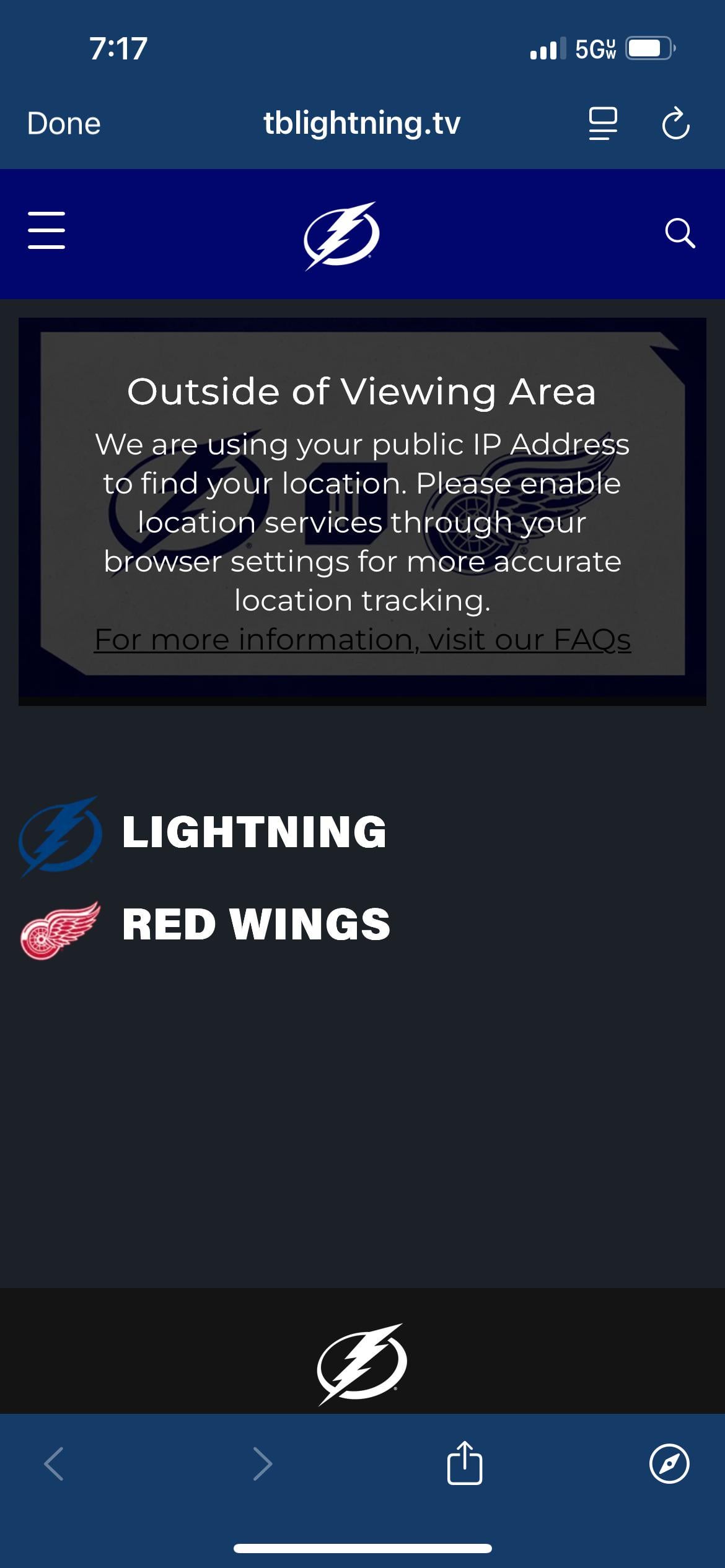
I paid the fee for the year to stream on my device but if I am not at my home it gives me this error. Anyone know a fix?

I paid the fee for the year to stream on my device but if I am not at my home it gives me this error. Anyone know a fix?
9 comments
Same.
Yea I’m currently on vacation in Boston and it’s pissing me off that I can’t watch the game even though I’m paying. Streaming should not have blackout restrictions. What about distant thunder in other countries? It’s just shit. So stupid. Organization should do better. Cause there is no other option.
You likely could use a VPN to make it appear that you are in a geographic area where the game isn’t “outside of viewing area.”
Nope.
Had the same thing happen to me when I was traveling for work last week in Naples. A paid subscription should mean I can watch wherever the hell I want
That’s weird. I turned on my VPN and put myself in SLC and even turned off location permissions and it still let me view the stream.
You may be able to use Tailscale to set up an exit node, that way it is showing your location as the Tampa Bay area
I’ve got this error the last 2 games IN Tampa on my phone (Verizon). Granted location access and it immediately gives me this error. Connected to my home VPN (also in Tampa) and then it worked fine. Sent an email to support and got this response. After following the link to set my home location it worked without the VPN.
==
Thank you for contacting the Technical Support Team.
To help you resolve common issues faster, we highly recommend checking our Knowledge Base first: https://support.tblightning.tv/support/solutions
If the articles do not solve your problem, please ensure you have enabled Location Services for the Tampa Bay Lightning app in your device’s settings. You can also set or verify your home location directly on our website here: https://www.tblightning.tv/location-settings.
If the issue persists after trying these, please reply to this email with the following information so our team can assist you properly:
A detailed description of the problem. A screenshot or photo.
The device you are using (e.g., iPhone 15, Roku Stick 4K, Web Browser).
Your current Zip Code and the exact text of any error message you are seeing.
Where you originally subscribed (e.g., Website, Roku).
Thank you for providing these details. We look forward to getting you back to the game.
I find it funny that I live in Syracuse, New York and the bolt game is always on Disney +. Maybe they know the crunch are in town?